
Chevrolet Trax: Vehicle stability control system switch replacement
Chevrolet Trax (2013-2022) Workshop Manual / Brakes / Antilock Brake System / Repair instructions / Vehicle stability control system switch replacement
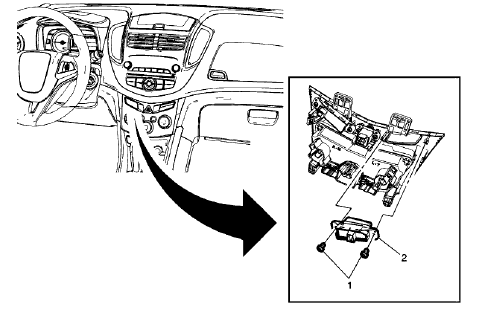
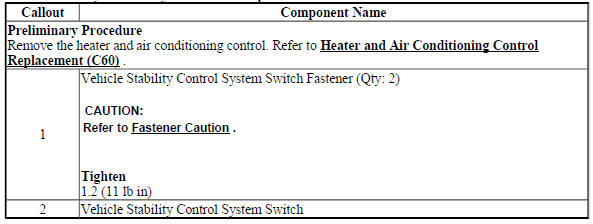
Fig. 42: Vehicle Stability Control System Switch
Vehicle Stability Control System Switch Replacement
VEHICLE YAW SENSOR LEARN
The yaw rate sensor learn procedure can be completed with a scan tool using the following steps:
- Place vehicle on a level surface
- Apply the parking brake, or set the transmission in the P position.
- Install the scan tool to the data link connector.
- Ignition ON, engine OFF.
- Select Yaw Rate Sensor Learn in the Electronic Brake Control Module Configuration/Reset Functions list.
- Follow the scan tool directions to complete the calibration procedure.
- Clear any DTCs that may be set.
VEHICLE YAW SENSOR WITH VEHICLE LATERAL ACCELEROMETER REPLACEMENT (ENCORE)
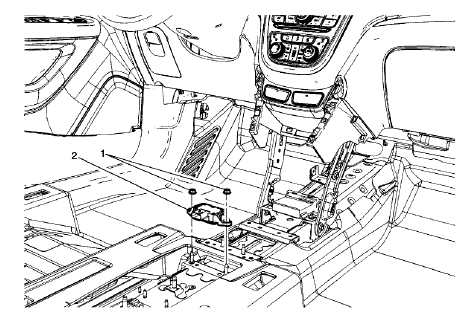
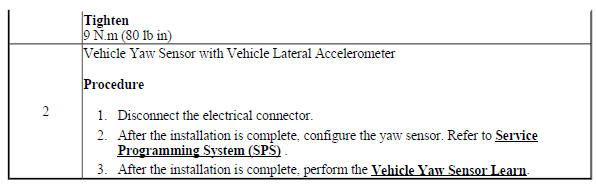
Fig. 43: Vehicle Yaw Sensor with Vehicle Lateral Accelerometer
Vehicle Yaw Sensor with Vehicle Lateral Accelerometer Replacement (Encore)
VEHICLE YAW SENSOR WITH VEHICLE LATERAL ACCELEROMETER REPLACEMENT (TRAX)
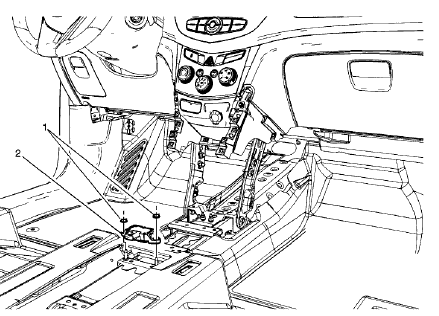
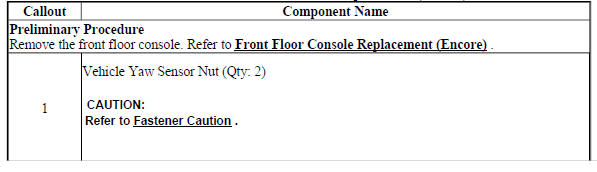
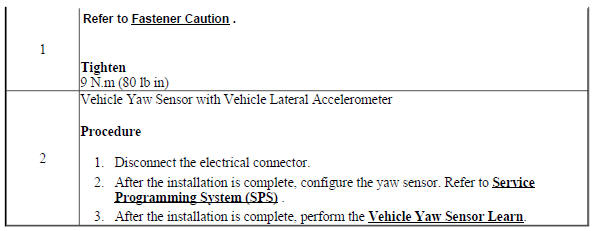
Fig. 44: Vehicle Yaw Sensor with Vehicle Lateral Accelerometer
Vehicle Yaw Sensor with Vehicle Lateral Accelerometer Replacement (Trax)

READ NEXT:
 Description and operation
ABS DESCRIPTION AND OPERATION
Antilock Brake System Block Diagram
Fig. 45: Antilock Brake System Block Diagram
This vehicle is equipped with the MGH 60 Mando electronic stability control
brake
SEE MORE:
DTC C0297
Diagnostic Instructions
Perform the Diagnostic System Check - Vehicle prior to using this
diagnostic procedure.
Review Strategy Based Diagnosis for an overview of the diagnostic
approach.
Diagnostic Procedure Instructions provides an overview of each
diagnostic category.
DTC Descriptor
DT
DTC B059A: Seat belt indicator circuit
Diagnostic Instructions
Perform the Diagnostic System Check - Vehicle prior to using this
diagnostic procedure
Review Strategy Based Diagnosis for an overview of the diagnostic
approach.
Diagnostic Procedure Instructions provides an overview of each
diagnostic category
DTC Descriptors
DTC
© 2019-2026 Copyright www.chevtrax.com
