
Chevrolet Trax: Windows
Warning
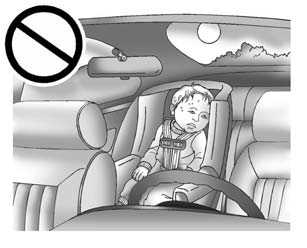
Never leave a child, a helpless adult, or a pet alone in a vehicle, especially with the windows closed in warm or hot weather.
They can be overcome by the extreme heat and suffer permanent injuries or even death from heat stroke.
The vehicle aerodynamics are designed to improve fuel economy performance. This may result in a pulsing sound when either rear window is down and the front windows are up. To reduce the sound, open either a front window or the sunroof, if equipped.
Power Windows
Warning
Children could be seriously injured or killed if caught in the path of a closing window. Never leave keys in a vehicle with children. When there are children in the rear seat, use the window lockout button to prevent operation of the windows. See Keys
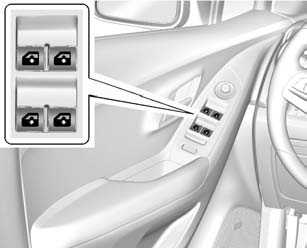
Press the switch to lower the window. Pull up on the front edge of the switch to raise it.
The driver door also has switches that control the passenger and rear windows. The switches work when the vehicle is in ON/RUN or ACC/ ACCESSORY, or when Retained Accessory Power (RAP) is active.
See Retained Accessory Power (RAP)
Express-Up/Express-Down Windows
If equipped, a window with the express-up/down feature can be raised or lowered without holding the switch. Press or pull the window switch fully and release it to activate the express feature. The express mode can be canceled by pressing or pulling the switch.
Programming the Power Windows
If the battery on the vehicle has been recharged, disconnected, or replaced, windows with the express-up feature need to be reprogrammed for this feature to work. To program the window:
- Close all doors with the ignition in ON/RUN or ACC/ ACCESSORY, or when RAP is active. See Retained Accessory Power (RAP)
- Press and continue to hold the window switch until the window is fully open.
- Pull up and hold the window
switch to close the window.
Continue to hold it briefly after the window is fully closed.
- Repeat for each window that has the express-up feature.
Anti-Pinch Feature
The anti-pinch feature is on windows with the express-up feature. If an object is in the way of the window as it is express-closing, or in certain weather conditions like severe icing, the window will stop and open to a factory preset position. The window functions normally once the obstruction is removed.
Rear Window Lockout
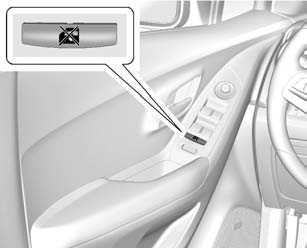
The rear window lockout feature prevents the rear passenger windows from operating, except from the driver position.
Press to activate the rear
window lockout switch.
to activate the rear
window lockout switch.
Press  again to deactivate the
lockout switch.
again to deactivate the
lockout switch.
Sun Visors
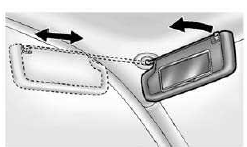
Pull the sun visor down to block glare. If equipped, detach the sun visor from the center mount to pivot to the side window or to extend along the rod.
If equipped, there is a lighted mirror on the sun visor. Lift the cover to open.
READ NEXT:
 Roof
Roof
Sunroof
If equipped, the sunroof only
operates when the ignition is turned
to ON/RUN or Retained Accessory
Power (RAP) is active.
Open/Close: Press and hold the
front or rear of switch (1) to open o
SEE MORE:
DTC B2955: Security sensor data circuit
DIAGNOSTIC CODE INDEX
DTC B2955: SECURITY SENSOR DATA CIRCUIT
Diagnostic Instructions
Perform the Diagnostic System Check - Vehicle prior to using this
diagnostic procedure.
Review Strategy Based Diagnosis for an overview of the diagnostic
approach.
Diagnostic Procedure Instructions prov
Shifting out of Park
This vehicle is equipped with a shift
lock control. The shift lock control is
designed to:
Prevent ignition key removal
unless the shift lever is in
P (Park) with the shift lever
button fully released.
Prevent movement of the shift
lever out of P (Park) unless the
ignition is in ON/RUN and t
