
Chevrolet Trax: Horns - Repair instructions
Chevrolet Trax (2013-2022) Workshop Manual / Accessories & Equipment / Horns / Horns - Repair instructions
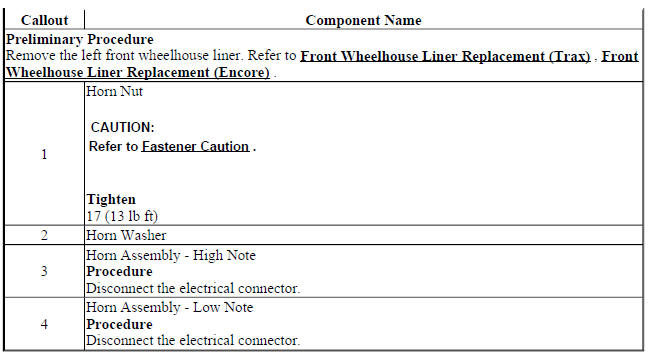
HORN REPLACEMENT
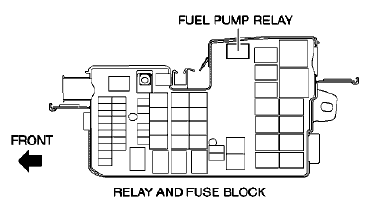
Fig. 3: Horn
Horn Replacement
STEERING WHEEL HORN CONTACT REPLACEMENT (ENCORE)
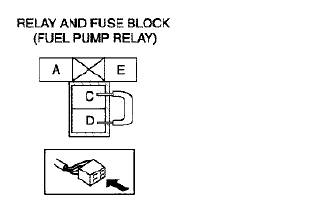
Fig. 4: Steering Wheel Horn Contact (Encore)
Steering Wheel Horn Contact Replacement (Encore)
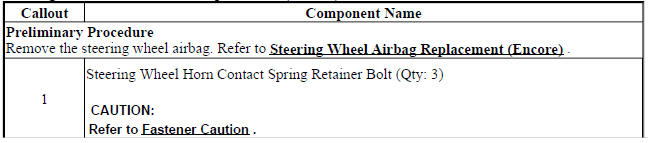

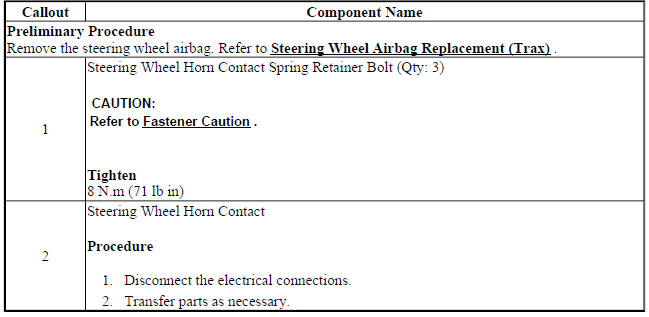
STEERING WHEEL HORN CONTACT REPLACEMENT (TRAX)
Fig. 5: Steering Wheel Horn Contact
Steering Wheel Horn Contact Replacement (Trax)
READ NEXT:
 Horns - Description and operation
HORNS SYSTEM DESCRIPTION AND OPERATION
System Description
The horn system consists of the following components:
HORN fuse
Underhood fuse block (contains PCB horn relay)
Horn switch
Horn-low note
Immobilizer
Schematic wiring diagrams
IMMOBILIZER WIRING SCHEMATICS (ENCORE)
Immobilzer System
Fig. 1: Immobilzer System
IMMOBILIZER WIRING SCHEMATICS (TRAX)
Immobilzer System
Fig. 2: Immobilzer System
SEE MORE:
Automatic Transmission
The selected gear is also shown in
the instrument cluster.
P (Park): This position locks the
drive wheels. It is the best position
to use when starting the engine
because the vehicle cannot move
easily.
Warning
It is dangerous to get out of the
vehicle if the shift lever is not fully
in P (Park)
Fuel feed pipe replacement (AT TANK AWD)
Fig. 27: Fuel Feed Pipe (At Tank - AWD)
Fuel Feed Pipe Replacement (At Tank AWD)
FUEL FEED PIPE REPLACEMENT (AT TANK FWD)
Fig. 28: Fuel Feed Pipe (At Tank - FWD)
Fuel Feed Pipe Replacement (At Tank FWD)
FUEL TANK FUEL PUMP MODULE REPLACEMENT (AWD)
Special Tools
CH-45722 Fuel Pump Locking Rin
© 2019-2026 Copyright www.chevtrax.com
